
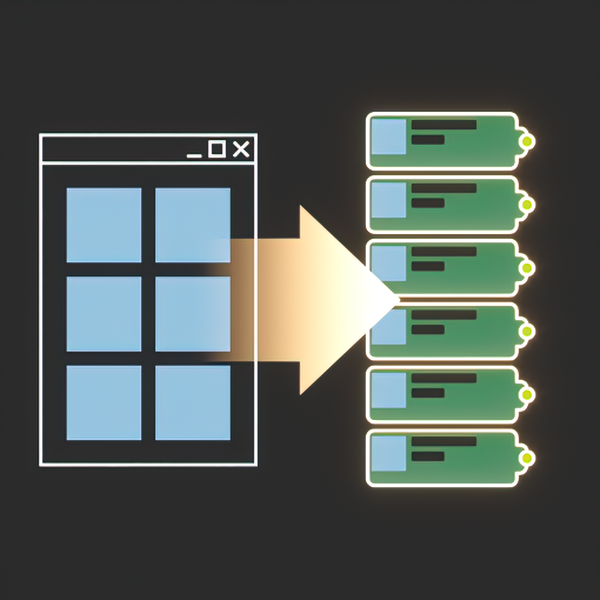
DropToSlate
$11
Enhance your Slate Material Editor
- Version 2.00
- Released 2026-10
Bought it here before? Get the latest version — we e-mail you a private link, no password.
Create maps in renderer class
Bitmaps are created as V-Ray, Corona, Redshift or F-Storm maps — the class follows the renderer of the current scene. Standard Bitmap can be forced per renderer.
Real-World Resize with size presets
Set the physical size in any unit, keep the proportions, and store your own width/height presets. Triplanar maps are resized through their scale and blending value.
Texture sequences become one MultiMap
Drop a whole sequence and get one multi map with a texture per slot, in the right order: RS_Multi_Map, CoronaMultiMap, VRayMultiSubTex or FStormMultiTex. The names may differ by numbers only.
UDIM tileset in one map
UDIM tiles are detected automatically: V-Ray gets a tagged map, Corona a MultiTile, Redshift its tiling mode. No duplicate nodes for the same tileset.
UVTILE tileset in one map
Mudbox style u/v tiles are recognised the same way, so a whole tileset takes a single node in the Material Editor.
Everything in DropToSlate 2.0
Drop
- Bitmaps are created in the class of the active renderer: V-Ray (VrayHDRI), Corona (CoronaBitmap), Redshift (RS_Bitmap), F-Storm (FStormBitmap) or standard Bitmap. HDR files always go to VRayHDRI in V-Ray.
- HDR files are detected by bit depth, not only by extension: float formats and anything above 16 bit per channel.
- HDR gamma 1.0 option: HDR files are loaded with gamma 1.0 regardless of the gamma hotkey.
- Drop *.osl shader files, *.cube and *.3dl LUT files (V-Ray and Corona), *.mat material libraries and, optionally, *.max files as libraries.
- Drop bitmaps with relative paths.
- UDIM and UVTILE tilesets are recognised by name and turned into a single tiled map.
- Texture sequences are grouped into a single multi map, one texture per slot.
- Per-renderer settings: V-Ray, Corona and Redshift keep their own map class, color space and OCIO options; the section of an engine that is not installed is hidden.
- Hotkey modifiers for three separate actions: open Real-World Resize, override gamma, tile by texture aspect ratio. Each one can be Disabled, Shift, Ctrl, Alt or Always.
- Default gamma mode: Auto (leave it to the renderer) or a custom value, with the hotkey override taking priority.
- Drop listeners API: other scripts can subscribe to the drop callback without stealing it from DropToSlate.
Resize
- Real-World Resize of selected maps in any unit, keeping the aspect ratio, with unlimited custom presets.
- Apply on the second click in a preset list, so presets are never applied while you edit them.
- Triplanar support (Corona, F-Storm): one switch with a blending value right in the resize dialog.
- Right click on Apply: turn real-world and triplanar off and reset tiling to 1:1.
- Ctrl + right click on Apply: the same, and the tiling follows the aspect ratio of the texture.
Slate
- Open the first dropped texture in the Parameter Editor.
- Focus Slate after the drop.
- Auto Open Nodeslots option for 3ds Max 2024.1 and newer.
- Fixed the “duplicating View1 after Reset” Slate bug.
- Dropped nodes are stacked by the real height of a cluster, so multi maps and tilesets never overlap.
Installation
- Drag “DropToSlate.mzp” to 3dsMax viewport
- Click Install
- Open Slate Material Editor
Drop listeners for other scripts
DropToSlate owns the Slate drop callback, so a second script that simply assigns SME.fileDropCallback replaces the tool instead of joining it. The listener hub solves that: register your own function and you receive every real drop, after DropToSlate has already done its work. Both calls answer the number of listeners left.
fn myDropHandler test files pos = ( -- test is always false here: the hub reports real drops only format "DropToSlate: % file(s) at %\n" files.count pos for f in files do format " %\n" f true ) ::SMEDragAndDropHandler.AddDropListener myDropHandler -- returns the listener count ::SMEDragAndDropHandler.RemoveDropListener myDropHandler -- same, after removalHow a listener is called
- The signature must be exactly fn name test files pos – the same one Slate uses for its own callback, so the very same function also works on a machine without DropToSlate.
- test is always false. Slate asks twice per drag (once while the files are still being dragged), and the hub reports only the real drop – that is why a listener is never asked to preview anything.
- files is the full list of dropped paths, before the tool takes material libraries off it, so a listener sees .mat and .max files as well.
- pos is the drop position inside the Slate view, in view coordinates.
- The call happens once per drop and after the nodes are created: whatever DropToSlate built is already in the view when your code runs.
- A listener cannot cancel or modify the drop – its return value is not read. Listeners are a notification, not a decision.
- Every listener is called inside its own try, so a broken script does not silence the listeners registered after it.
- The same function registered twice is stored once. The list is cleared when the script is reloaded, so register again after a reload.
- Drops that the tool refuses (an unsupported file, a material library turned into no node) are announced too – check files if it matters to you.
[2.00] - 2026-10
- New. Per-renderer settings: V-Ray, Corona and Redshift with own map class options.
- New. Redshift OCIO color space option.
- New. HDR gamma 1.0 option.
- New. Drop .mat material libraries and .max scenes as library.
- New. Drop .osl shader files.
- New. Drop .cube and .3dl LUT files for Corona and V-Ray.
- New. HDR detection by file bit depth, not only extension.
- New. Tiling by aspect ratio hotkey.
- New. UDIM and UVTILE tile support for V-Ray and Corona.
- New. Group texture sequences into one multi-map.
- New. “Use triplanar” switch with its blending value in the Real-World Resize dialog (Corona and FStorm).
- New. Ctrl + Right click on Apply: the same, and the tiling follows the aspect ratio of the map file.
- New. Drop listeners API for other scripts.
- New. “Auto Open Nodeslots” option for 3dsMax 2024.1 and newer (Settings > General).
[1.32] - 2025-07
- Fix. Disabled automatic fixing “View1” duplication bug for 3dsMax 2025 and newer.
[1.31] - 2024-06
- Fix. Wrong OCIO color profile.
- Fix. Resizer dialog error.
- Fix. HDRI resizer error.
[1.30] - 2023-06
- New. 3dsMax 2024.1 support. 3dsMax 2024 without updates is not supported.
- Deprecated. Removed Slate toolbar buttons because of 2024. Macroses are still there – in Nik Scripts category. Please use max toolbar or hotkeys.
[1.29] - 2021-05
- New. V-Ray 5 VrayBitmap Color space and RGB primaries Auto mode.
[1.28] - 2020-10
- New. V-Ray 5 VrayBitmap default Color space transfer.
[1.27] - 2020-10
- New. V-Ray 5 VrayBitmap default RGB Primaries.
[1.26] - 2020-10
- Fix. Dotnet Escape related bug.
[1.25] - 2020-09
- Fix. Resizer aspect ratio bug.
- Fix. Resizer Substance2 support bug. Sorry for that.
- Fix. Drag n drop conflicts with other scripts.
[1.24] - 2020-09
- New. Substance and Substance2 support for Real-World resizer. Not for drag & drop yet.
[1.23] - 2020-07
- Fix. Resizer not working on bitmaps with relative paths.
[1.22] - 2020-06
- New. Drop bitmaps with relative paths. DropToSlate respects “Convert local file paths to Relative” option in 3dsmax preferences. 3dsmax native drag-n-drop doesn’t :)
[1.21] - 2020-02
- Fix. MacroRecorder not working before opening Slate.
[1.2] - 2020-02
- Fix. Errors after pressing Escape before opening Slate.
[1.19] - 2020-02
- Fix. Startup issues on some systems.
[1.18] - 2020-02
- Fix. RedShift bitmaps without Vray installed.
[1.17] - 2019-12
- Improved. Get resolution for *.hdr and *.exr is much faster.
[1.16] - 2019-12
- New. Load *.hdr and *.exr files as spherical images option.
- Fix. Removed *.hdr and *.exr exclude for resizing.
- Fix. Load previous width/height in Real-World Resize.
[1.15] - 2019-11
- New. (Corona and Vray) Use Vray HDRI option.
[1.14] - 2019-05
- Fix. Resize bug again. I hope last one
[1.13] - 2019-05
- Fix. Swapped Resize width height
[1.12] - 2019-05
- New. Non-English 3dsMax versions support
[1.11] - 2019-05
- New. (FStorm) Set gamma 2.2 for *.hdr & *.exr files
- Fix. Unistall bug
[1.1] - 2019-05
- New. Gamma override
[1.01] - 2019-05
- Fix. Reset Scene timer error.
[1.0] - 2019-05
- New. Initial release